When you start coding in Python, your scripts can quickly grow larger than you expect. To stop your work becoming a messy jumble of functions, classes, and random bits of code, Python gives us modules and packages. These help keep your work organised, easy to reuse, and much easier to share with others.
What is a Module?
A module is simply a file containing Python code. Instead of cramming everything into one script, you can save parts of your program in separate .py files and then bring them back in when you need them.
For example, let’s create a file called greetings.py:
def say_hello(name):
    return f"Hello, {name}!"
Now, in another file, you can import and use it:
import greetings

print(greetings.say_hello("LiddleBit"))
# Output: Hello, LiddleBit!
Try it yourself:
- Create your own module with a maths function (like squaring a number).
- Import it into another script and test it.
What is a Package?
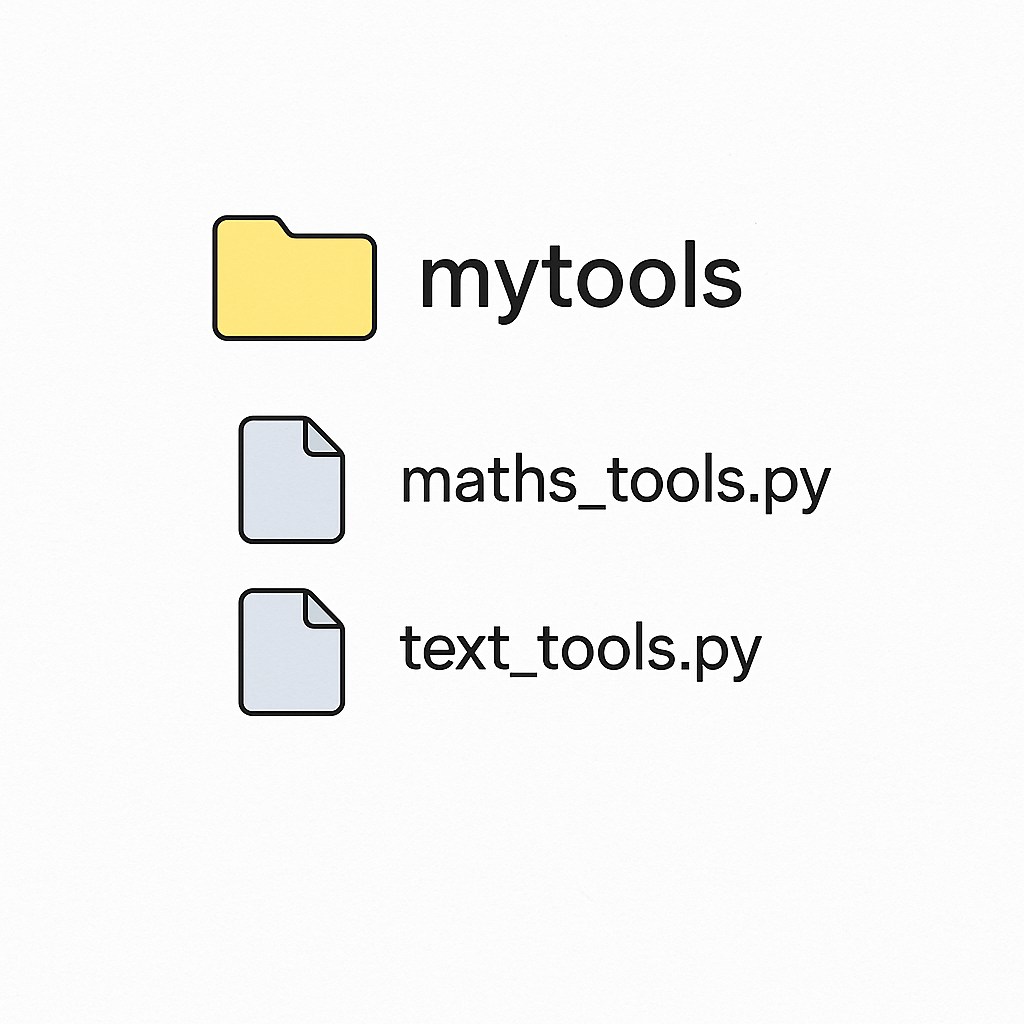
A package is just a folder that contains multiple modules. Imagine a recipe box full of recipe cards — the box is the package and the cards are the modules.
For example, make a folder called mytools with two files inside:
maths_tools.py
def square(x):
    return x * x
text_tools.py
def shout(text):
    return text.upper()
Now, in your main script you can use:
from mytools import maths_tools, text_tools

print(maths_tools.square(4))      # Output: 16
print(text_tools.shout("hello"))  # Output: HELLO
Try it yourself:
- Create your own package folder with at least two modules.
- Use
importandfrom ... import ...to access them.
Why They Matter
Modules and packages let you reuse code, keep your projects tidy, and borrow tools made by others. This is how Python libraries like pandas or Django are built — they are just big collections of well-structured packages.
Try it yourself:
- Install a package (like
requests) withpip install requests. - Write a small script that imports it and prints something from a webpage.