Liquid crystal displays are used in everything from smartphones and laptops to control panels and classroom electronics projects. Although they appear simple, the technology behind them relies on careful control of light and highly organised electronic signals. To understand how an LCD works, it helps to look at how light is polarised, how pixels block or pass that light, and how image data is sent to the screen.
Light, polarisation and direction
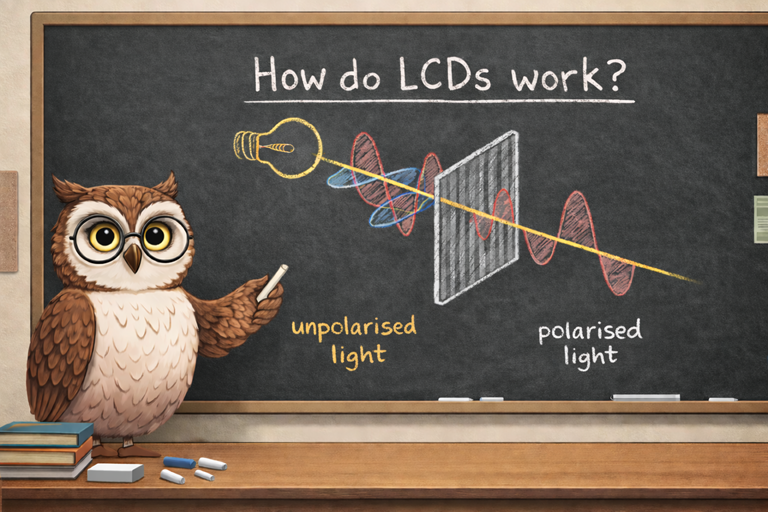
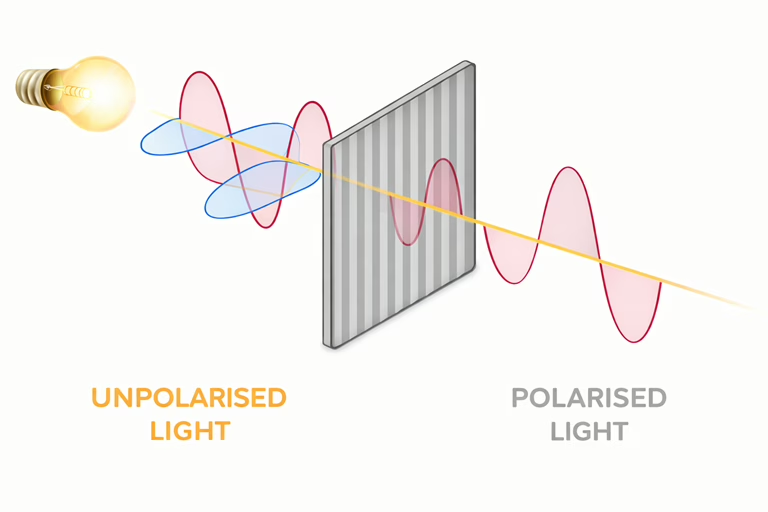
Light normally travels as waves that vibrate in many directions. One helpful way to picture this is to imagine light moving forward like a corkscrew, twisting as it goes. In everyday light, that corkscrew can twist in any direction.
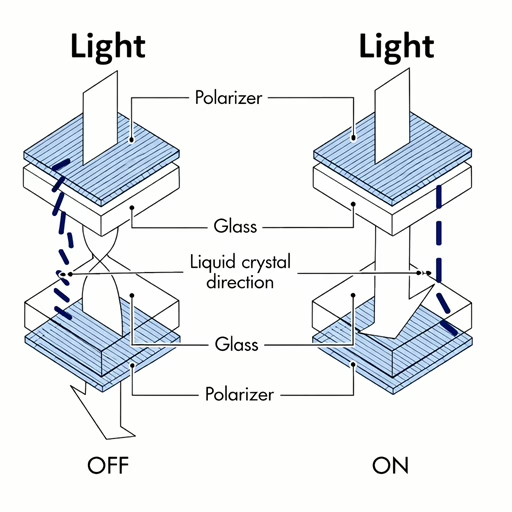
A polarising filter forces light to vibrate in just one direction, either horizontally or vertically. Any light twisting the wrong way is blocked. LCD screens use two polarising filters placed at right angles to each other. The rear filter allows only one orientation of light through, while the front filter allows only the opposite orientation. Without anything between them, almost all light would be blocked.
How liquid crystals twist light
Between the two polarising filters is the liquid crystal layer. Liquid crystals can twist the direction of polarised light passing through them. When no voltage is applied, the liquid crystals rotate the light by ninety degrees. Using the corkscrew idea, they gently twist the corkscrew so that light passing the first filter can also pass the second. The pixel appears bright.
When a voltage is applied, the liquid crystals align with the electric field and stop twisting the light. The corkscrew keeps the same orientation and is blocked by the front filter, making the pixel appear dark. By varying the voltage, the display can precisely control brightness rather than simply switching pixels on or off.
Pixels and how colour is created
A colour LCD screen is made up of millions of pixels, each of which is divided into three smaller elements called sub pixels. These sub pixels are filtered to show red, green or blue light. This colour system is based on how human vision works, as our eyes use three types of colour sensitive cells that respond most strongly to red, green and blue wavelengths.
Each red, green and blue sub pixel has its own liquid crystal section. By controlling how much light passes through each one, the display can mix colours in different proportions. For example, turning red and green sub pixels on together produces yellow, while blue and green together produce cyan. When all three sub pixels are bright, the result appears white.
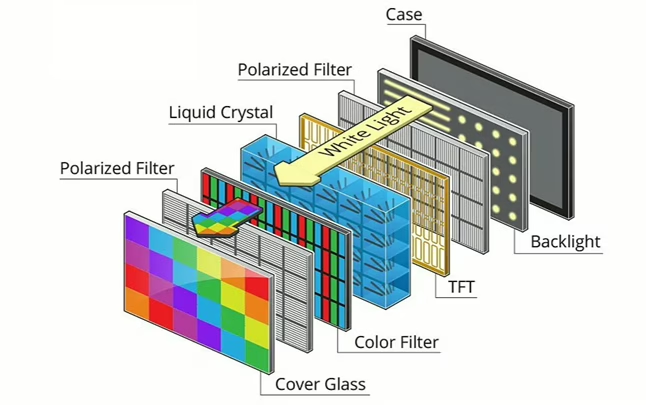
The brightness of each sub pixel is controlled using many small steps rather than just on and off. This technique, known as colour depth, allows modern LCDs to display millions of colours. The more finely the voltage can be adjusted, the smoother the colour transitions appear, reducing visible banding in images and videos.
From a normal viewing distance, the eye cannot see individual sub pixels. Instead, the colours blend together, forming sharp text, images and video.
How the image is sent to the display
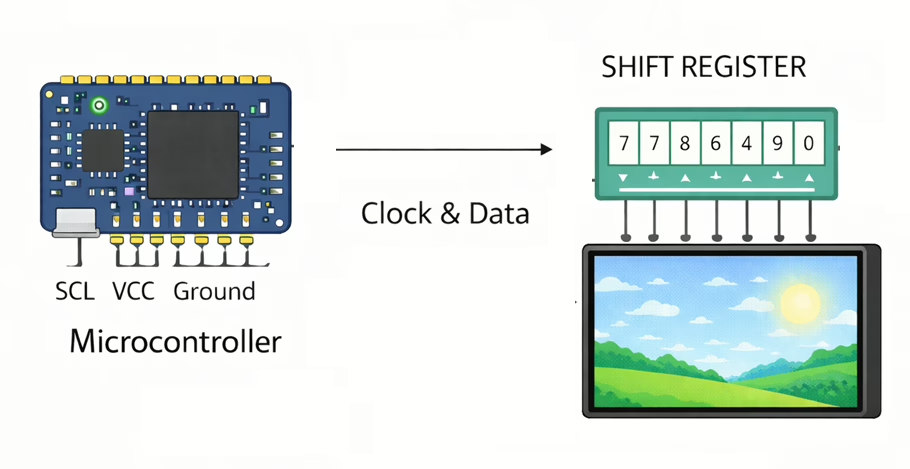
The image shown on an LCD is loaded serially from a microcontroller or display controller. Rather than sending all pixel data at once, the controller transmits a steady stream of bits, often using a serial interface such as SPI. This data describes the colour and brightness of each pixel in sequence.
Inside the display, the data is stored in memory that corresponds to the physical layout of pixels on the screen. The display electronics scan through rows and columns repeatedly, refreshing the image many times per second. Because this process is so fast, the human eye perceives a stable and flicker free picture.