If you’ve ever adjusted a dimmer switch, turned up the volume on a speaker, or watched a thermometer change smoothly as the temperature rises, you’ve seen analogue signals in action. Analogue is all about continuous change, values that can slide up or down without jumping. But computers don’t work that way. They prefer things neat, tidy and countable. They deal in digital: clear steps, exact values, ones and zeros.
Why We Need ADCs
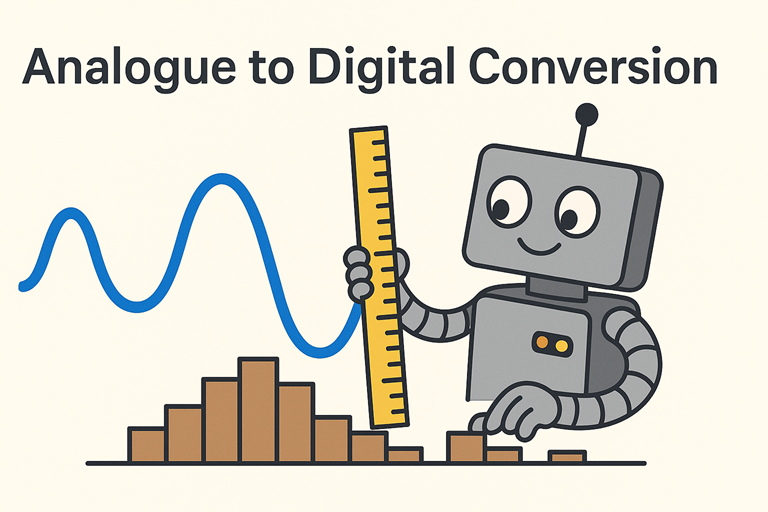
So how does a computer make sense of a world that rarely behaves in tidy steps? That’s where analogue to digital conversion (ADC) comes in. An ADC acts a little like a translator. It listens to a smooth, constantly changing signal such as light, temperature or sound, and turns it into chunks of data the computer understands.
How an ADC Takes Measurements
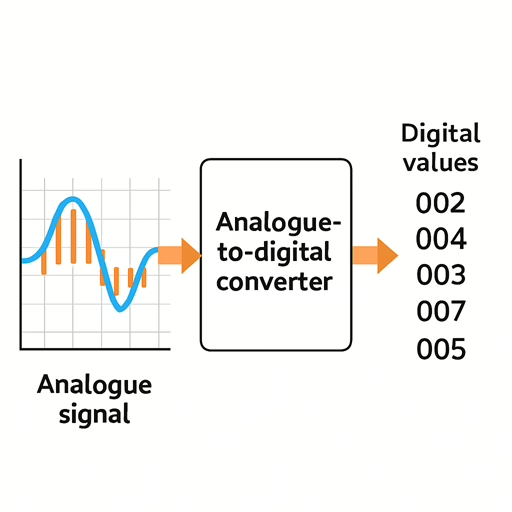
The ADC does this by taking tiny “snapshots” of the signal at regular intervals. Each snapshot is measured and given a number. The more detail you want, the more levels the ADC needs to describe the signal. This is why ADCs are often described by their bit depth. A higher bit depth gives the ADC more possible numbers to choose from, meaning the digital version of the signal ends up smoother and more accurate.
Sampling Rate: The Speed of Those Snapshots
Sampling rate is the other half of the story. That’s how often the ADC takes those snapshots. Imagine watching a stop motion animation: the more frames you have per second, the less jerky it feels. An ADC works much the same way. Sample too slowly and the computer misses the action; sample quickly and it captures much more of the real shape of the signal.
ADCs in Microcontrollers and Projects
In small computers like microcontrollers or the Raspberry Pi family, an ADC is what allows your code to react to the real world. Want to measure the position of a joystick? Read a light sensor? Detect sound? All of these rely on converting analogue signals into readable numbers. Some boards have ADC hardware built in. Others need a little external chip to do the job.
What You Can Do with Digital Values
Once the analogue signal has been turned into digital values, your program can use them just like any other numbers. You can graph them, compare them, trigger actions when they go above or below a threshold, or even stream them live for analysis. Analogue to digital conversion is the quiet hero behind everything from music recording to weather stations, and now it’s something you can use in your own projects too.
The Idea in a Nutshell
At its core, analogue to digital conversion is simply about capturing the shape of a real world signal and turning it into numbers your computer can work with. Once you know that, everything else is just different ways of improving the clarity of that captured signal.