A display is simply a way for an electronic project to show information to a person. You see displays everywhere, from phones and TVs to microwaves, watches, and DIY gadgets. In electronics, choosing the right display can make a project much easier to use, whether you want to show a number, a short message, or a full colour interface.
How Displays Create an Image
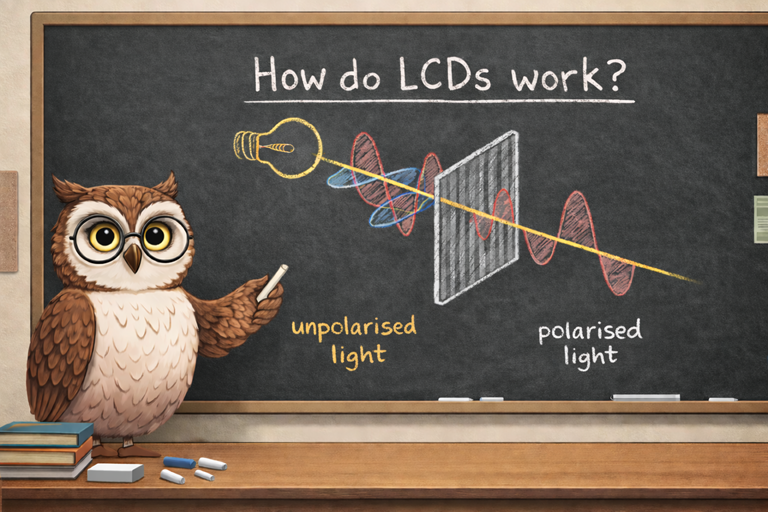
Most displays work in one of three ways. Some create light directly, where each segment or pixel glows. Others use a bright panel behind the screen and control how much light passes through, which is how many LCD screens work. A third approach reflects ambient light instead of shining its own, which is why e paper screens can be comfortable to read in bright conditions.
Common Display Types
LCD, short for liquid crystal display, is one of the most widely used technologies. It is often efficient, but screens with backlighting can draw more power. LCDs come in simple segment displays for numbers, alphanumeric modules for text, and graphic versions for icons and basic images.
OLED displays produce light at each pixel, giving strong contrast and deep blacks. They can also be small, fast, and visually sharp. LED displays are common for simple digits and indicators, and for large signs where size matters more than fine detail. E-paper, often used in e-readers, is excellent for static text because it uses very little energy once the image is set.
An LED dot matrix display is made up of a grid of tiny LEDs arranged in rows and columns. By turning individual dots on and off, the display can show letters, numbers, symbols, and simple animations. These displays are bright, easy to see from a distance, and popular in clocks, signs, and beginner electronics projects. While they do not offer high resolution, they are simple to control and very effective for scrolling text or status information.
Choosing a Display for a Project
Start by deciding what you need to show: a single indicator, digits, text, or graphics. Then consider power use, visibility in bright or dark places, and how you will connect it. Many modules use I2C or SPI, while classic character displays often use a well known controller interface.