Robotics is one of the most exciting areas of technology today. From robots on car production lines to surgical assistants in hospitals, robots are becoming part of everyday life. But what makes them tick? The answer is software — the invisible “brain” that gives robots their abilities.
This guide explains how robotics software is developed, why simulation is so important, and how different programming languages shape what robots can do.
Developing Robotics Software
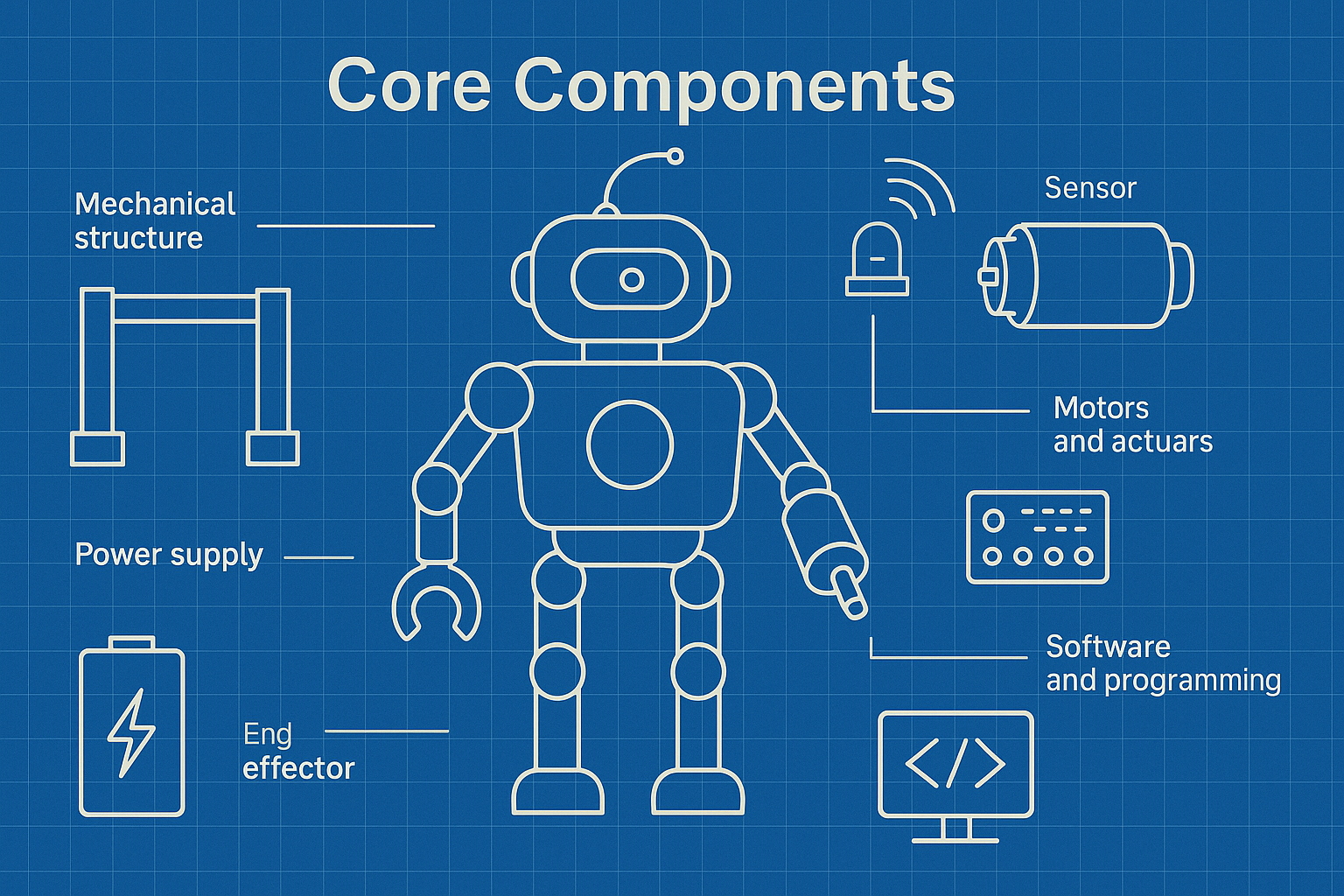
Robotics software engineers design the code that allows robots to move, sense, and think. Their job is to connect the physical hardware (motors, cameras, sensors) with intelligent control systems.
A typical development process includes:
- Vision and Planning
Every project starts with a goal. For example, a company might want a robot that can safely deliver packages in a warehouse. Engineers break this big idea into smaller, achievable requirements, such as detecting obstacles, planning routes, and lifting boxes. - Algorithm Development
Once the plan is clear, engineers create algorithms. These are sets of instructions that tell the robot what to do — like how to grip an object or how to avoid bumping into walls. - Integration with Hardware
The software has to work with motors, batteries, cameras, and sensors. This means careful testing to ensure that what works in code also works when the robot’s wheels start turning. - Testing and Debugging
Finally, engineers test the robot in different environments. Any bugs (errors in the code) are fixed to make the robot more reliable.
Within this process, there are two main types of robotics software roles:
- Systems Engineers focus on the big picture, making sure all the robot’s parts work together smoothly. They balance performance, efficiency, and safety.
- Perception Engineers concentrate on giving robots “eyes and ears.” They develop the code that interprets camera feeds, LiDAR scans, or microphone input so the robot can understand its environment.
Together, these engineers ensure that a robot doesn’t just move, but moves intelligently.
Why Simulation Matters
Building and testing real robots is expensive and risky. One small coding mistake could break a robot’s arm or cause it to crash into a wall. This is why simulation is a vital part of robotics development.
What is Simulation?
Simulation creates a digital version of a robot and its environment. This allows engineers to test how their software will behave without risking damage to real hardware.
For example, a warehouse robot can be tested in a virtual warehouse filled with obstacles. Engineers can then see how the robot reacts in thousands of different scenarios.
Benefits of Simulation
- Safety – Robots can fail in virtual space without causing accidents.
- Cost-effectiveness – Fewer physical prototypes are needed.
- Speed – Engineers can run hundreds of tests in the time it would take for one real-world experiment.
- Scalability – Whole fleets of virtual robots can be tested at once.
Common Simulation Tools
- Gazebo – Often used with ROS (Robot Operating System), this tool models robots and their environments with physics-based accuracy.
- PyBullet – A lightweight simulator ideal for testing robotic arms and AI algorithms.
- Webots – Used in education and research, it allows quick experiments with mobile robots.
Simulation is never a complete replacement for real-world testing, but it bridges the gap between concept and working machine.
Choosing the Right Programming Language
Programming is how engineers “talk” to robots. Different languages suit different needs, and robotics often requires more than one language working together.
C++
- Strengths: Very fast and efficient. Ideal for low-level control, such as making motors move or ensuring sensors respond quickly.
- Limitations: Complex to learn and write, with longer development times.
- Best for: Real-time systems like robotic arms or drones.
Python
- Strengths: Easy to learn, very flexible, and widely used in artificial intelligence (AI) and machine learning. Great for prototyping and testing.
- Limitations: Slower than C++, so not ideal for time-critical tasks.
- Best for: Simulation, AI decision-making, and high-level robot control.
Java
- Strengths: Reliable, secure, and platform-independent (it runs on many systems without modification).
- Limitations: Less efficient for low-level hardware tasks.
- Best for: Large, enterprise robotics systems where stability is key.
Rust
- Strengths: Combines speed with memory safety, reducing the risk of crashes. Becoming popular in robotics research.
- Limitations: Still a relatively new language, so fewer robotics libraries are available.
- Best for: Performance-critical systems that must avoid memory errors.
Julia
- Strengths: Designed for heavy mathematical work. Excellent for simulations, optimisation problems, and machine learning.
- Limitations: Less widely adopted than Python or C++.
- Best for: Research and advanced AI applications.
How Languages Work Together
In real-world robotics, engineers often use multiple languages in the same project. For example:
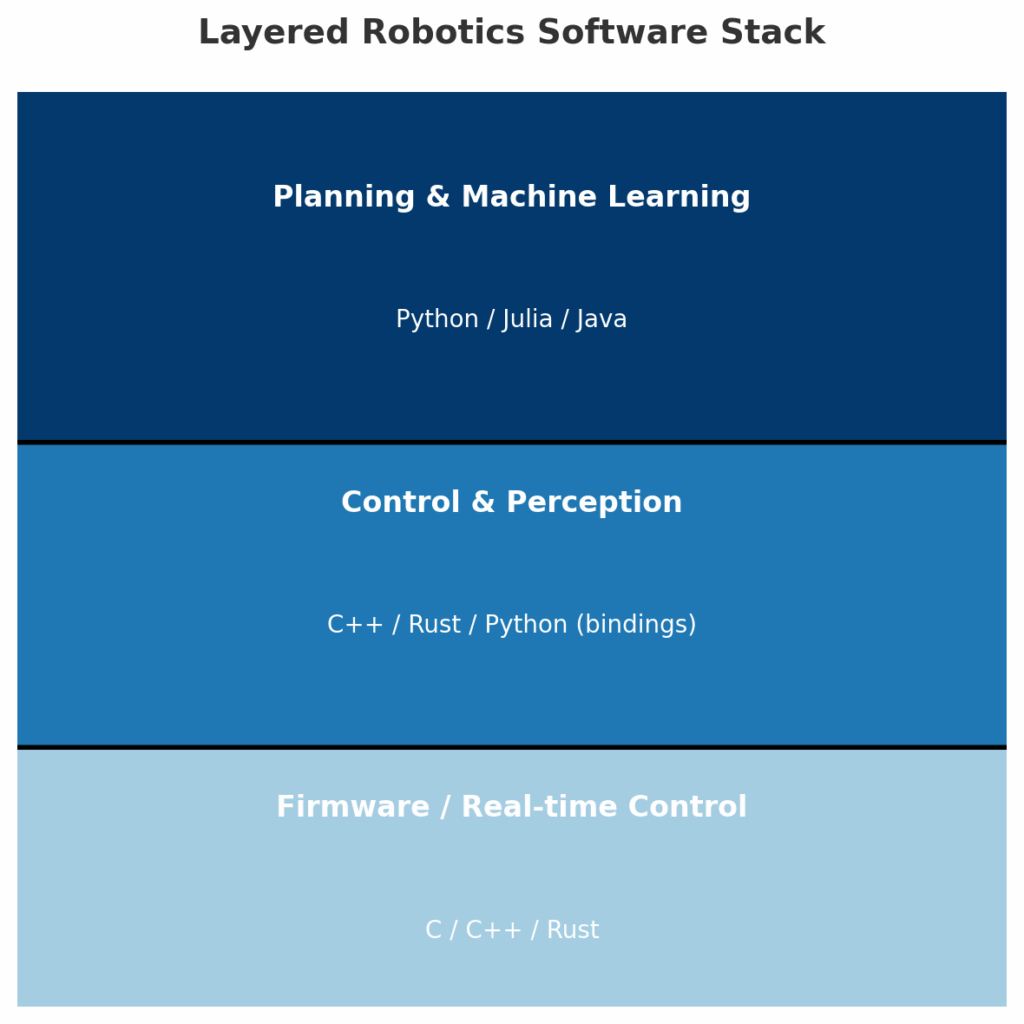
- A self-driving car might use C++ to process sensor data in real time, while using Python to run the AI that plans routes.
- A medical robot might rely on C++ for precise control of surgical tools, but Julia for analysing medical data.
The key is to balance speed, safety, and flexibility depending on what the robot needs to do.
Key Takeaways
- Robotics software connects sensors, motors, and algorithms to make machines autonomous.
- Simulation is crucial for safe, affordable, and efficient testing before deploying robots in the real world.
- Programming languages each have strengths and weaknesses. C++ is fast, Python is flexible, Rust is safe, Julia is mathematical, and Java is reliable.
- Most robots use a combination of languages to get the best of all worlds.
As robotics grows in importance, the blend of clever software, advanced simulation, and smart language choices will continue to push the boundaries of what machines can achieve.